When an Accessibility Issue Should Block a Release
Accessibility tests find barriers. Engineering judgment must determine when a failure stops the release and what evidence supports a responsible decision.
On this page
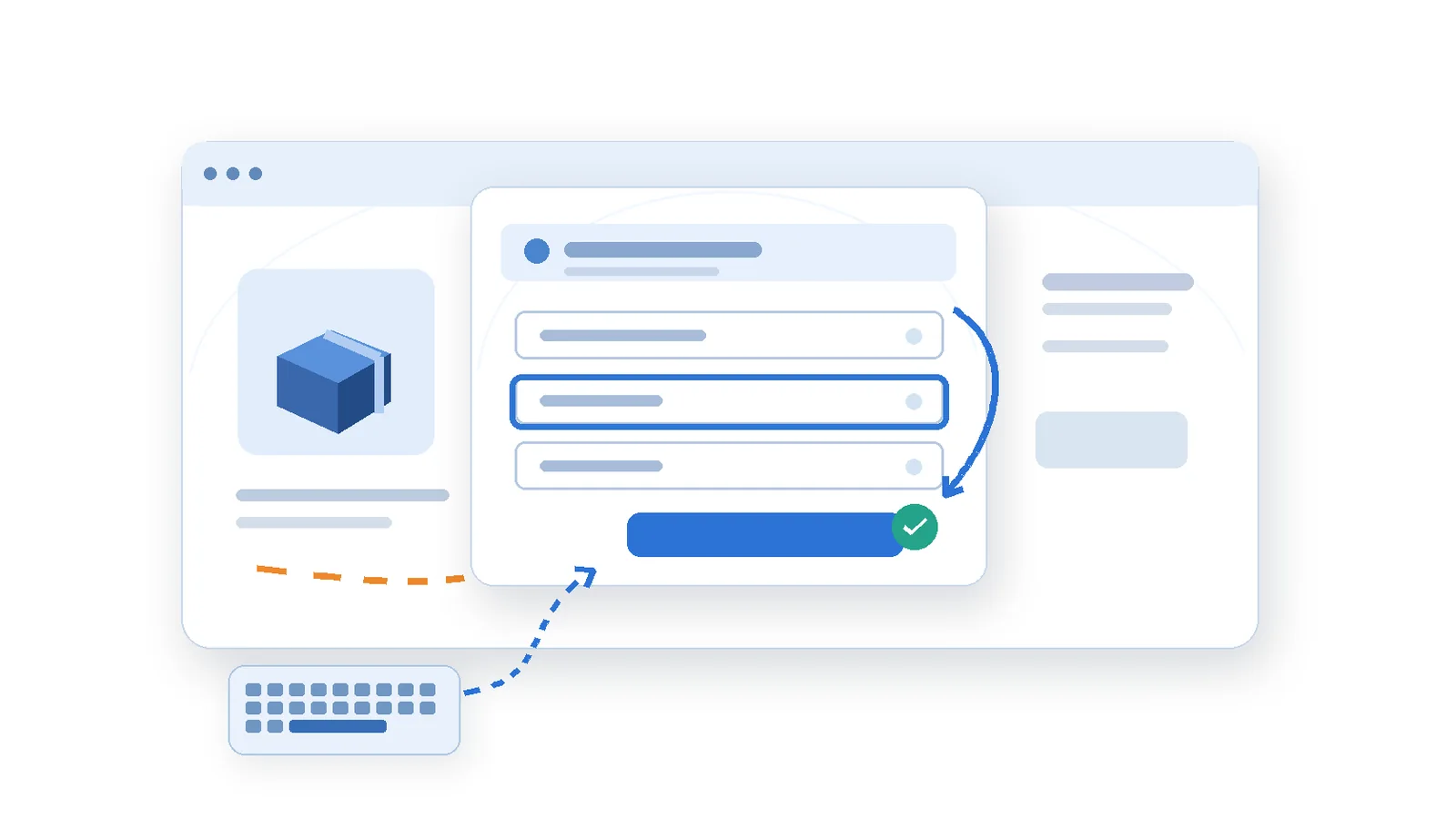
A new checkout panel looks correct during a visual review. Mouse users can choose a delivery method and continue. In a keyboard test, focus remains behind the open panel, so the controls in the visible dialog are unreachable through the intended sequence. A customer cannot complete the task without changing input method.
One reviewer reports an accessibility defect. Another asks whether it warrants delaying a release. A third notes several smaller visual-focus inconsistencies elsewhere and suggests fixing them together later. The conversation is now about priority labels rather than the actual customer task.
This is an illustrative scenario, not a report of a client incident or a release I personally signed off. It presents a recurring engineering decision: accessibility findings vary in effect, but none should be dismissed as decoration. A reasonable response needs the observed barrier, its scope, applicable requirements, and a defensible next action.
Conformance and prioritization are not the same question
WCAG success criteria define requirements for accessible web content. A release process decides how to respond to a confirmed or suspected problem. These are related but not interchangeable. Calling a defect “low priority” does not make an unmet requirement pass, and postponing a correction does not justify an inaccurate conformance statement.
WCAG 2.2 includes criteria for keyboard operation, keyboard traps, focus order, visible focus, input errors and programmatically determinable status messages. Each criterion has specific conditions and a defined conformance level. An engineering review should name the relevant criterion and observed behavior rather than use “accessibility issue” as an unexplained diagnosis.
Legal, contractual or procurement requirements may also determine what can be released, and those obligations vary by context. This article is not a universal legal rule. Where a product is required to satisfy a particular conformance target, an unresolved applicable failure cannot be declared acceptable merely because fixing it is inconvenient.
Look at the task before counting defects
The essential question in the example is whether the customer can select delivery and proceed using a keyboard. If no effective alternative exists, a defect affecting that task may justify stopping release of the affected flow. A single failure on a high-consequence journey can be more consequential than many minor presentation defects.
That assessment does not assume that only paying customers or frequently used routes deserve access. It distinguishes what users can accomplish, what behavior is blocked, and where the same defect may appear. Low analytics volume is not proof that an accessibility barrier has little importance.
Write the finding as a reproducible barrier
A finding needs enough context to test. Record the tested build, browser, viewport, interaction sequence, expected focus behavior, actual focus behavior, and any assistive technology used. For the checkout panel: open it, operate Tab and Shift+Tab without a mouse, and identify whether focus enters the panel, moves among its controls, can escape appropriately when it closes, and reaches the next step.
That test does not establish the implementation cause. The failure might arise from DOM ordering, integration of the dialog behavior, an incorrectly applied state, an overlay that leaves underlying controls active, or an event-handler defect. The user-visible behavior should be recorded before picking one explanation.
W3C guidance on focus order requires sequential focus to preserve meaning and operability. Focus need not follow every visual pixel in exactly the same direction; it must remain logical and usable. This distinction matters when reviewing multi-column layouts or responsive reordering. The problem is not a keyboard path that merely surprises a developer; it is a path that confuses or prevents operation.
Use a short keyboard recording when helpful, with the focus indicator visible. Where the failure depends on a screen reader, record the tested configuration and meaningful output. A vague label like “screen readers fail” cannot guide a correction or a release decision.
Five questions before the release decision
First: does the issue prevent a meaningful task? Being unable to choose delivery, log in, correct validation, dismiss an overlay, or reach a checkout confirmation is a material barrier. A mildly inconsistent border style without loss of operation presents a different immediate risk. The relevant distinction is the user outcome, not the visual size of the defect.
Second: how far does the behavior reach? A shared dialog primitive may be used for several critical journeys. Test representative consumers and the changed states that matter; do not assume the page where the issue was reported is the only affected place. W3C’s WCAG Evaluation Methodology describes scoping, exploring, sampling, evaluating and reporting digital accessibility; that method is more credible than extrapolating from one screenshot.
Third: how strong is the evidence? A repeatable inability to use the checkout with a keyboard is stronger than a report whose steps cannot be reproduced. When uncertain, specify the smallest experiment that could confirm or disprove the concern, including the supported browser or assistive-technology setup.
Fourth: is there a genuinely usable alternative? A suggested fallback is not accessible merely because a developer can reach it by mouse or knows a hidden workaround. Test whether the same task can be completed in a comparable manner and without extra disclosure or unreasonable effort.
Fifth: can the product safely recover after release? Determine whether the affected feature can be isolated, rolled back, or disabled without eliminating the user’s only route. Identify shared consumers, asset caching and the ability to verify a repair. These factors guide mitigation; they do not erase conformance or contractual obligations.
Make the decision and its conditions explicit
In the illustrative checkout case, I would recommend blocking the affected flow until keyboard access is restored and verified. The task is essential, the barrier is repeatable, and an equivalent usable route has not been demonstrated. Renaming it “medium priority” to fit a delivery date does not change what customers can do.
Other cases require more context. An issue confined to optional information might be isolated while unrelated changes ship, or it might be corrected immediately with a narrow fix. Release segmentation can reduce exposure; it is not permission to claim that an unresolved failure meets the intended conformance level. The team’s response must match its obligations and the actual evidence.
| Finding | Potential effect | Decision evidence |
|---|---|---|
| Checkout inaccessible by keyboard | Essential task blocked | Stop flow; repair and retest |
| Focus style obscured | Navigation may be confusing | Test visibility and reach |
| Missing image alternative | Meaning may be lost | Check decorative or functional |
A useful decision record includes the observed task failure, relevant criteria, affected audience and journeys, reproduction evidence, proposed mitigation, correction owner, required verification, and stop-or-go condition. It should also state which assumptions remain untested and who has authority to accept residual risk. This makes disagreement productive: reviewers can question evidence or criteria rather than negotiate an ambiguous color on a dashboard.
Consider a hypothetical finding where keyboard focus is visible but occasionally clipped beneath a sticky page header. The right response depends on the applicable focus visibility requirement, the actual degree of obscuring, whether controls remain operable, where the pattern recurs, and how quickly the shared layout can be repaired. A screenshot alone should not decide severity; a vague promise to revisit it later should not close the issue.
Automation is evidence, not an accessibility sign-off
Automated tools can efficiently detect some missing attributes, markup problems and contrast failures. They cannot decide every interaction’s meaning, focus management, timing or task completion. W3C’s Easy Checks guidance explicitly frames preliminary checks as an introduction rather than a comprehensive conformance assessment.
After repairing the panel, test the entire affected sequence: open with a keyboard, enter and move through controls, make an invalid choice, understand the error, correct it, confirm the delivery option and continue to the next step. Where relevant, repeat with a supported screen-reader configuration and verify that changing states are communicated without forcing the user to guess.
Do not claim that a green automated scan proves accessibility, or that one successful manual test proves all related pages conform. Record which views and configurations were tested. A representative sample can support a scoped engineering decision; the broader compliance statement requires the process and coverage appropriate to its intended claim.
Accessible release decisions are engineering decisions
A frontend can pass visual review while blocking part of its audience from a basic task. The responsible response is to describe what fails, trace its reach, determine the applicable criteria, and verify the repair at the interaction boundary that matters.
This is distinct from asking whether each reusable component looks accessible in isolation. In the earlier article An Accessible Component Can Still Create an Inaccessible Journey, the focus is journey integration. Here the central question is whether the release can responsibly proceed when a confirmed barrier remains.
The goal is not to stop every release until no possible issue is imaginable. It is to avoid shipping a known essential barrier behind imprecise labels, unsupported assumptions, or a favorable automated score. Accessibility becomes part of engineering quality when it has observable acceptance conditions and release decisions people can explain.
An Accessible Component Can Still Create an Inaccessible Journey
Accessible buttons and checkboxes are only the beginning. A practical look at focus, status announcements, stale responses, empty results, and the transitions that make dynamic interfaces usable.
Read article
Testing Shared UI Components Without Testing Every Page Twice
Reusing a UI component does not mean testing every page identically. A practical coverage map shows which behaviors belong in component, integration and browser tests.
Read article